
Convert MBOX to PST Without Outlook
You’ve just moved from a Mac to a new Windows PC, and your office runs on Outlook. For years, every client email, invoice and project thread lived in Apple Mail. Before handing in the old Mac, you exported the whole mailbox so nothing would be lost.
Now you open Outlook and try to import that file. It doesn’t work, and you wonder whether those years of emails are gone.
They aren’t. The export is an MBOX file, and Outlook has no built-in way to import MBOX. It only opens PST files, so all you need is to convert MBOX to PST. You can do that without installing Outlook, whether your emails come from Apple Mail, Mozilla Thunderbird, Google Takeout or another MBOX-based client.
This guide explains how the two formats differ, then shows two ways to convert: a free online converter for a single small file, and desktop software for larger mailboxes.
Table of Contents
MBOX vs. PST: What’s the Difference?
Outlook reads only its own PST container, while MBOX stores messages one after another in plain mailbox files. That is why an MBOX file must be converted before Outlook can use it.
| Feature | MBOX | PST |
| Associated with | Unix-based mail systems and many email clients | Microsoft Outlook |
| Storage structure | Messages stored sequentially in mailbox files | Structured Outlook data container |
| Commonly used by | Thunderbird, Apple Mail and other MBOX-compatible clients | Microsoft Outlook |
| Attachments | Stored within the email message data | Stored as part of Outlook items |
| Folder organization | Usually separate mailbox files per folder | Folders and subfolders in one file |
| Compatibility | Supported by many email clients | Mainly Outlook |
Method 1: Convert MBOX to PST with Online MBOX to PST Converter
Several online tools are available to convert MBOX files to PST format, making them a convenient option for smaller mailbox files. One such solution is Stellar Online MBOX to PST Converter. This browser-based tool requires no Outlook installation, software download, or account registration. Simply upload an MBOX file exported from Thunderbird, Apple Mail, Google Takeout, or another supported email client and convert it into an Outlook-compatible PST file.
Key Features of Stellar Online MBOX to PST Converter
- Convert MBOX files up to 100 MB to PST format online at no cost.
- Convert MBOX files to Outlook-compatible PST format without installing or configuring Microsoft Outlook.
- Convert MBOX files directly through your web browser without downloading or installing additional software.
- Monitor the progress of MBOX file uploading, conversion, and downloading in real time.
- Your uploaded MBOX data is deleted after conversion to help protect your email privacy.
- Convert exported MBOX files without needing access to the original email client, such as Thunderbird or Apple Mail.
Step to Convert MBOX to PST Online:
- Open the converter. Go to the tool in any browser. No installation or sign-up is needed.
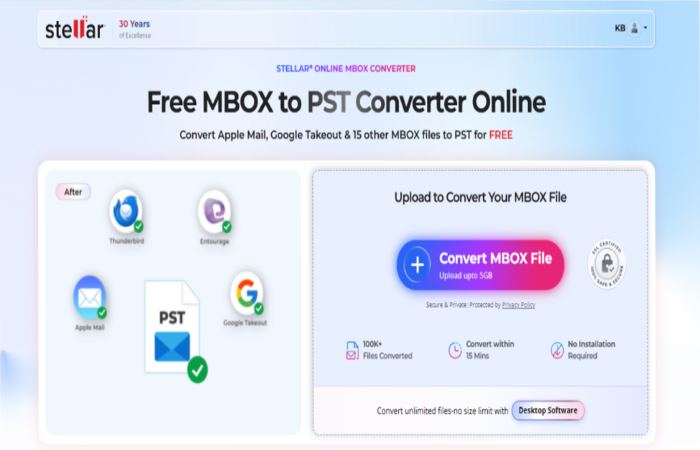
- Upload your MBOX file. Select it with the file picker and wait for the upload to finish.
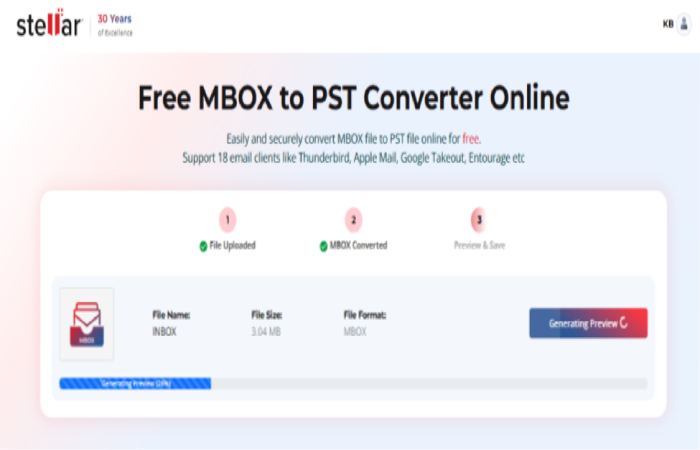
- Preview the result. When processing ends, an HTML preview of the converted mailbox appears.
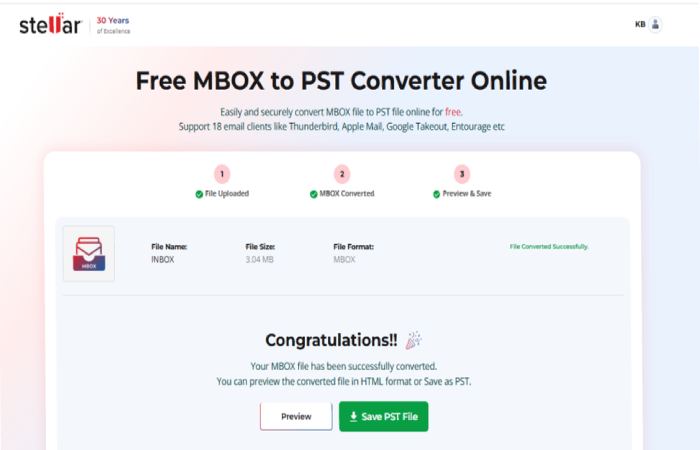 Check it to confirm your emails converted correctly.
 - Download the PST file. The download link is valid for 24 hours, so save the file promptly.
Method 2: Convert Large or Multiple MBOX Files with Stellar Converter for MBOX
Choose the desktop software if you need to convert large MBOX files, process several mailboxes, or work offline. It keeps your data on your own computer and gives you more control over what gets converted.
- Converts MBOX, MBS, MBX & RGE to PST file format
- Saves converted emails in Office 365, RTF, PDF, and HTML formats (Technician Version).
- Supports MS Outlook 2021, 2019, 2016, 2013, 2010, 2007.
Step to Use MBOX to PST Converter Software:
- Install and launch Stellar Converter for MBOX.
- Select your email client and your MBOX file.
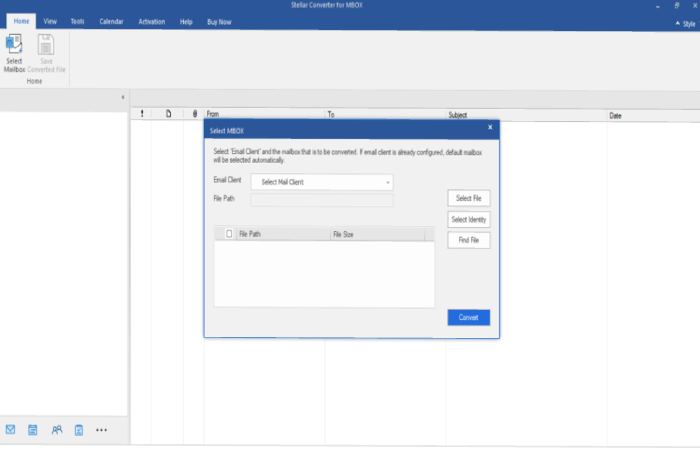
- Click Convert and wait for the scan to finish.
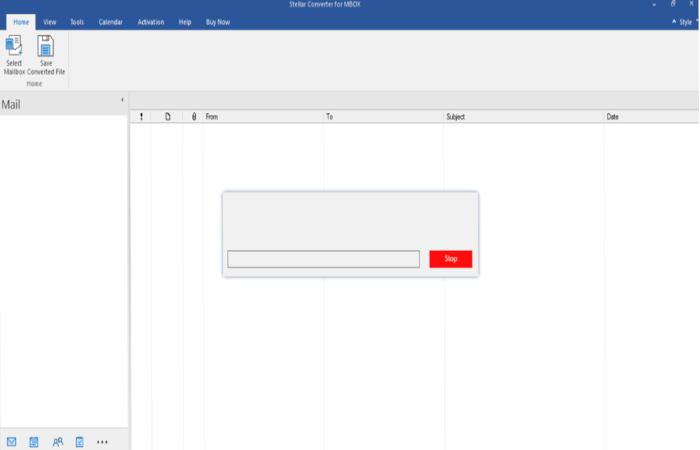
- Preview the items in the mailbox tree.
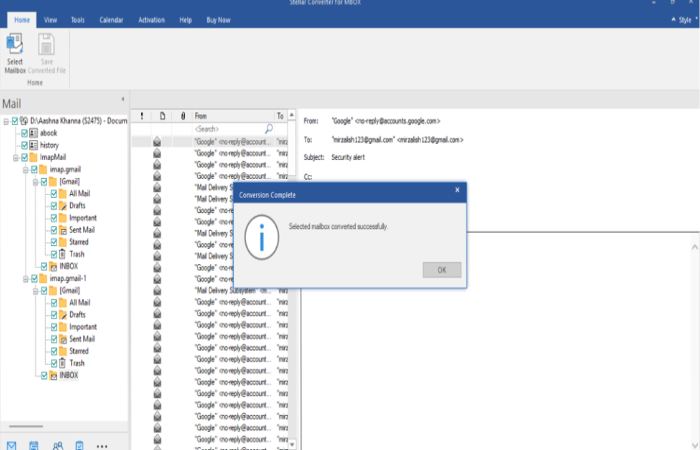
- Click Save Converted File, choose PST, pick a destination folder and save.
Conclusion:
Converting MBOX to PST without Outlook is possible with the right conversion method. If you have a small mailbox or need to convert a single MBOX file, Stellar Online MBOX to PST Converter offers a convenient browser-based solution without requiring software installation. For larger mailboxes, multiple MBOX files, or offline conversion, Stellar Converter for MBOX desktop software provides additional flexibility.
Before choosing a method, consider your mailbox size, conversion requirements, and preferred working environment. Regardless of the method you choose, always preview the converted emails and verify important attachments and folder structures before deleting your original MBOX files.